Tag: copyediting

  • My Presentation on Copyediting for the Fictionary Loves Writers Conference

    My Presentation on Copyediting for the Fictionary Loves Writers Conference

    On February 12, 2023, I was honored to present this session on copyediting at the three-day Fictionary Loves Writers Conference.

    In this session, I addressed the following questions:

    • What are the levels of editing?
    • How do you prepare for a copyedit?
    • What is the editor’s process?
    • What do you do after the edit?

    Enjoy, and let me know if you have any questions or if I can help you with your manuscript!


  • A Look Back at EFACON 2023

    A Look Back at EFACON 2023

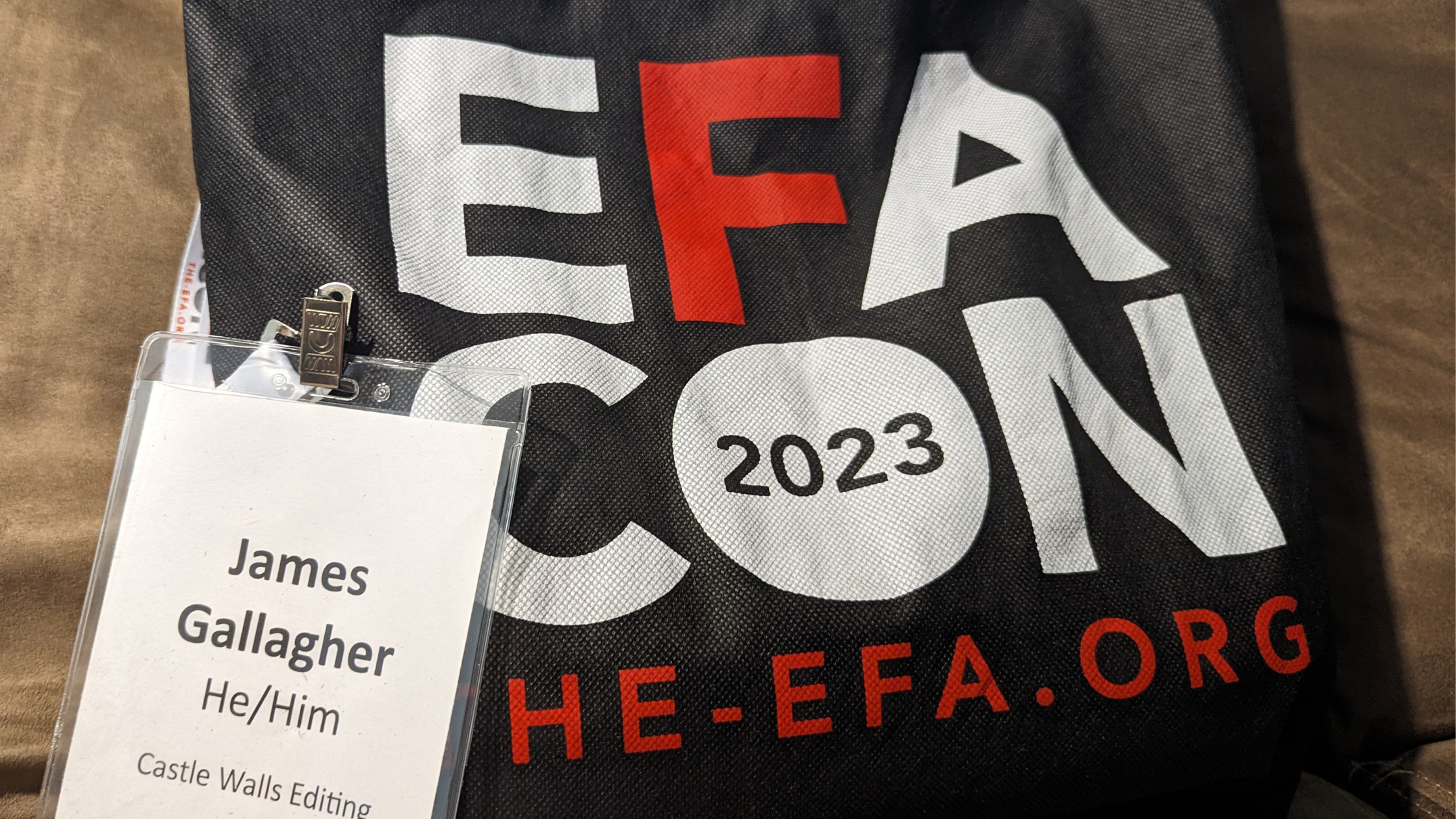
    Attending EFACON 2023 on August 18 and 19 in Alexandria, Virginia, increased my editorial knowledge and strengthened my ties in the editorial community. I left the conference with renewed enthusiasm for my work and already look forward to future events from the Editorial Freelancers Association (EFA).

    In the following I discuss benefits of the conference and provide a high-level lesson from each of the eight sessions I attended. I’ll also add here that the keynotes from Dr. Cathy Hannabach, Cecilia Tan, and Ran Walker were all excellent, and the EFA did a praise-worthy job selecting these speakers.

    People

    Like many editors, I’m introverted, and it’s all too easy to hide in a corner, keep my eyes down to avoid interaction, or look for the empty table at meals. But I’d promised myself that I would engage with people at the conference and am proud that I interacted more than I ever have at similar events.

    As freelance editors, we generally work alone and can often feel isolated, so building that sense of community and expanding our network does wonders for increasing our opportunities for learning from others, sharing job opportunities, and enjoying the camaraderie of like-minded professionals.

    A common theme at the conference was that you never know how a connection will pay off, even years later, so with every interaction you’re planting seeds. Perhaps more important, you’re interacting with the kind, generous people in the editing community, and that’s something to appreciate in and of itself.

    I certainly learned from all my interactions, even in terms of broadening my conception of what people do and how they work, and I was also able to share what I’ve learned since going full-time freelance at the end of 2017.

    I already knew some of the attendees from online venues, and it’s a wonderful experience to finally meet people in person. There’s a unique thrill to Oh, that’s so-and-so!

    Friday and Saturday entailed two long days of sessions, and by the end of the second day I was mentally and socially at my end, so I headed out before the final reception. While that would have been a nice capper, it’s important to recognize your limits, and I left feeling good about all aspects of the conference.

    Processes

    The EFACON sessions provided a wonderful opportunity to learn from editing superstars and to improve my processes.

    The following are the sessions I attended at EFACON, with a takeaway for each. Multiple sessions were scheduled for each time slot, and I’m looking forward to catching ones I missed once the recordings become available.


    Diversify Your Business: From Building Communities to Teaching—How to Provide Editing-Adjacent Services to Authors (presented by Jessica Snyder)

    This provided an excellent start to my conference, especially because it challenged me to think differently. Jessica talked about how coaching, online courses, and consulting can help you serve clients and increase your income to protect against lost income due to disability or illness. She also explored options for better work-life balance.

    TAKEAWAY: It’s easy for me to get in an editing groove and move from one job to the next, but you never know what’s around the corner, and you should never stop thinking about how your business can change and adapt.


    An Editor’s Guide to Assessing and Addressing Problematic Content (presented by Crystal Shelley)

    I’ve long been a fan of Crystal Shelley and have learned much from all the helpful resources she provides, so Crystal was at the very top of presenters I was excited to see. In her session Crystal looked at the ways biased and exclusive language renders text ineffective or harmful. She offered practical tips for offering guidance on problematic language or representation, flagging content, crafting clear queries, providing feedback, and handling client resistance.

    TAKEAWAY: More than anything, I left Crystal’s session wanting to embody her approach of knowing that we’re all human and capable of mistakes, but by listening and learning we can do better, show kindness to others through language, and help to better serve our clients.


    Client Interactions and Relationship Management (presented by Katie Chambers)

    Katie Chambers is a wonderful presenter, lively, funny, and engaging. In this session Katie shared her processes for template emails, e-mail management, client intake, data and systems, and client management.

    TAKEAWAY: Data, data, data! Collecting data on clients and the associated work is vital, and refining processes for doing so should be ongoing.


    Oops! Finding and Fixing Bloopers in Fiction (presented by Amy J. Schneider)

    The author of “that little yellow book,” Amy Schneider was another presenter I was greatly looking forward to seeing. Amy discussed language bloopers (pet phrases, danglers, redundancy), action bloopers (Chekhov’s gun, drop-in characters), and factual bloopers (body position, anachronisms, geography).

    TAKEAWAY: Easy takeaway here. When one of the best copyeditors anywhere shares insights into her craft, you sit up and take notes on every observation.


    One on One: Coaching for Creativity and Craft (presented by Christina M. Frey)

    I’ve taken two line editing classes from Christina Frey, and I’m convinced she’s a genius. In this session Christina discussed how an editorial coach can provide support beyond the typical editor-writer relationship, the qualities of a good editorial coach, approaches, and techniques for listening and adjusting.

    TAKEAWAY: Clients have needs beyond your service offerings, so expanding your thoughts on how you might meet those needs could open all-new areas for your business.


    Find Your NICHE: How to Niche Down and Market Your Specialty (presented by Jeanette Smith)

    I know Jeanette from an EFA chapter and was beyond excited to be there to support her and see her deliver her presentation. She nailed it! Jeanette examined all aspects of NICHE: natural talents, interests, characteristics, heart, and environment.

    TAKEAWAY: Again, it’s easy to get lost in the work and let the marketing side of your business flag. Thinking about your niche can help you better direct your services at the clients you most desire.


    Talking Points: Copyediting Dialogue in Fiction (presented by Amy J. Schneider)

    Here Amy addressed handling the mechanics of dialogue to maintain character voice while keeping dialogue understandable for the reader and letting the story shine. She looked at dialogue tags, verbs of utterance, action beats, punctuation, unspoken dialogue, informal dialogue, sounds and other nonverbal expressions, non-English language and translated dialogue, and electronic communication.

    TAKEAWAY: With The Chicago Guide to Copyediting Fiction, Amy literally wrote the book on copyediting. I’m just smart enough to realize when to pay attention and take lessons from one of the best in the field.


    Retreats: Build Your Business with a Getaway (presented by Laura Poole)

    Here Laura Poole delved into business retreats and professional getaways, discussing benefits, logistics, and suggested activities for group, solo, and virtual retreats. By the end of the session, I think everyone in the room was dreaming of a getaway to ponder all aspects of their businesses.

    TAKEAWAY: This is the third time I’ve said this, but it’s incredibly easy to get caught up in your work. However, stepping away and changing your environment can inspire you with new ideas that might completely revamp how you do business—and make happier clients in the process.


    What We Wish We’d Known Before We Started Freelancing (panel discussion presented by Lori Paximadis, Jeanette Fast Redmond, and Amy J. Schneider)

    This esteemed panel shared insights on building a steady client base, marketing strategies, business policies and boundaries, contracts, client acquisition, automation tools, and efficiency. As a means of both looking back and looking forward, this was a fantastic way to end my conference, head spinning with ideas and hopes for my business.

    TAKEAWAY: Never ever ever stop thinking about new ways to approach your business.

    Final Thought

    EFACON 2023 benefited me personally and professionally. I’ll do my best to continue to build on what I learned there, and I’m thankful for new and deepened editing relationships among my peers.
  • Five Reasons Copyediting Takes More Time Than You Might Think

    Five Reasons Copyediting Takes More Time Than You Might Think

    People are often surprised by the time it takes to copyedit manuscripts, probably because they have a sense of how long it takes to read a book of similar length. But copyediting does take longer—much longer—and authors and readers benefit from the hours upon hours copy editors dedicate to their craft.

    (This post refers largely to copyediting fiction, but the principles apply to nonfiction as well, though nonfiction generally takes even more time [often substantially more time] owing to such things as reference lists and technical content. Editors also develop processes that work best for them and their clients, so the following won’t reflect all processes of all editors.)

    WHY DOES THIS MATTER?

    Understanding the time to copyedit something effectively (and all that that involves) helps authors know what they should be getting from an edit, and it helps them weigh what is a reasonable fee for the copy editor’s work.

    What You Get

    As we’ll see, copyediting involves a lot more than people think. (I actually had a friend ask what more I needed to do after running spellcheck!)

    Authors often begin their search for an editor with the idea that they need only a “quick proof,” so all they’ll get from a copy edit needs to be learned (as well as the idea that they might also need a developmental or line edit).

    What You Pay

    If it takes an author twelve or thirteen hours to read through their manuscript, they might assume that the time to edit is somewhere in that neighborhood—and the price they’re willing to pay will understandably align with that.

    Authors might have a very different idea of a fair fee if they understand that the work involves not twelve or thirteen hours but thirty or more hours.

    Let’s say an author has a 300-page manuscript in standard format, and it takes that author twelve hours to do a read-through. This would have them reading at twenty-five pages an hour.

    Ten pages an hour is a pretty good clip for copyediting fiction. I’m usually below that when you average my main pass and proofing pass, but at ten pages per hour that 300-page manuscript would require thirty hours of work. So if an author is paying $200 for the job, they might begin to wonder about the quality of the work.

    FIVE REASONS COPYEDITING TAKES SO LONG

    The following five reasons for why it takes as long as it does to edit effectively should also give authors some reassurance about their editor’s commitment to their manuscript.

    1. Time Outside the Read-Through

    Editors do a number of tasks before the first pass, between passes, and at the end of the job, not to mention admin tasks such as communicating with the author, invoicing, and tracking the kind of data that helps editors constantly refine their systems and processes.

    Initial Cleanup

    Before that first read-through, an editor will rename a file according to their naming conventions and format the file so that it’s usable for editing.

    The latter usually means ensuring the manuscript is Times New Roman, twelve-point font, double spaced, with automatic indents and styled headings. Editor’s Toolkit Plus is a handy tool for snapping up spaces around returns, double spaces, and tabs and for formatting ellipses and smart quotes.

    The editor may run an initial pass of PerfectIt (a consistency checker), search for particular instances in the document, and run macros such as ProperNounAlyse (this pulls all the proper nouns from a document so an editor gets a heads-up on spelling discrepancies for people and place names).

    After the First Pass

    Here the author often runs spellcheck and PerfectIt, then reviews their notes and comments for continuity or sentence-level concerns to keep track of during the final pass.

    After the Proofing Pass

    Editors usually have a number of common cleanup searches, most of which can be built into PerfectIt. The editor will check their notes for any outstanding concerns, review their comments for tone and content (Do they address the issue, explain why it’s an issue, and suggest an alternative?), and clean up their style sheet (see more on style sheets below).

    Before returning the edited manuscript, the editor will draft an editorial overview (usually an email). I’ve also begun using Loom videos so I can show authors things like the navigation pane and aspects of using tracked changes (this also provides a nice, personal way for me to thank authors for having me as their editor).

    2. A Different Kind of Reading

    To do their jobs effectively, editors must read in a way that is slow and measured. Editors are always asking questions of the text and of the way it relates to the surrounding text in grammar and syntax.

    Readers often speed-read or even mentally switch off for passages, but editors must maintain strict concentration at all times, and they must manage their concentration and be aware of their limits per day and per hour, and rest accordingly.

    Editors also must be aware not just of sentence-level concerns like spelling but of continuity issues (such as discrepancies with the timeline and character details such as eye color) and of things like echoes or words and pet phrases throughout the manuscript.

    Time is also added for inserting edits, which are tracked, and for adding comments to explain edits or to query authors on matters of style or continuity. Editors will often use tools like TextExpander to more quickly insert frequently made comments, but editors inevitably also need extra time to carefully phrase other comments so that they are both kind and useful to the author.

    3. Constant Lookups

    MerriamFetch is one of my favorite macros, with good reason. (A macro is a program you can run within Word, and this macro automatically pulls up Merriam-Webster’s definition page for a selected word. Believe me, it saves a ton of time.)

    Spelling is more complicated than running Word’s spellcheck. Spellcheck helps, and editors should run it, but editors are usually editing to a dictionary outside of Word (I’m usually editing to Merriam-Webster).

    Editors also have to decide their approach when word variants are listed in the dictionary. Usually it falls to the first-listed variant, but editors will also take into account author preference and add exceptions to the style sheet to account for this.

    Editors are also constantly breaking from reading the manuscript to look up issues in their style guide (for me that’s usually the Chicago Manual of Style). These may relate to punctuation or treatment of terms or use of numerals or capitalization or similar issues.

    Editors are also frequently turning to other resources, such as Garner’s Modern English Usage or the Conscious Style Guide or Crystal Shelley’s Conscious Language Toolkit.

    Fiction often requires fact-checking, so there are web lookups for things like the time it takes to travel between locations and even medical details. A copy editor’s lookup history can be, um, interesting.

    So many lookups!

    4. The Style Sheet

    While editing, the copy editor builds out a style sheet detailing general guidelines for editing and exceptions to these guidelines. An author may, for instance, prefer commas before sentence-ending toos and eithers.

    The style sheet also includes a word list of proper nouns and manuscript-specific spellings. Other items on the style sheet include character and setting details (so a character doesn’t have blond hair on page 10 and brown hair on page 110, unless a dye is involved, and so a character doesn’t go to the sixteenth floor of a ten-story building).

    The style sheet also includes a timeline by chapter that is a great help in addressing continuity concerns so, for example, five days don’t pass between Thursday and Saturday.

    5. Multiple Passes

    Editors have different processes. Some copy editors might run through only one pass. Others might run through more than two, but I usually do an intensive major pass and then a second proofreading pass using ReadAloud (hearing the manuscript read aloud is magic for finding such things as missing words, transposed words, and wrong words).

    Multiple passes, of course, add time to the job. In addition, editors may need to run streamlined passes for particular items, such as a specific continuity concern.

    TIME WELL SPENT

    Authors spend countless hours, even years, bringing their story into the world. Everyone, perhaps most importantly the eventual reader, benefits when authors and editors understand each other’s processes and the associated time each involves.

    Writing takes time. Editing takes time. When a book is in a reader’s hands and a story is firing that reader’s imagination, the reader might not have a true concept of all the time that went into the book’s creation, but they will undoubtedly feel it in every chapter, scene, and sentence.

  • Editing Is a Conversation

    Editing Is a Conversation

    Too often people view editing as a one-way service in which the editor “corrects” the author’s prose. To get the most out of the author–editor relationship, however, it’s important to remember two things:

    • Editing is a conversation.
    • Edits are suggestions.

    (Though general principles still apply, the following is geared toward the relationship between indie authors and editors. In traditional publishing the author will usually not communicate directly with the copy editor or proofreader.)

    The Conversation: Working Together

    The author and editor are partners working in service of the reader. This relationship is laid out beautifully in one of my favorite books—The Subversive Copy Editor by Carol Fisher Saller. (I will never stop recommending this book!)

    The editor is there to help the author and to honor the author’s voice. As with any good conversation, this means that the editor must practice the art of listening so that they can hear that voice before they can edit effectively.

    Of course, editors also bring expertise that authors may not possess. This expertise includes adherence with style guides and dictionaries, awareness of inclusivity concerns, and knowledge of publishing standards.

    But, again, it’s important to remember that the author’s voice should always be honored, so if maintaining that voice and serving the audience means bending a guideline, then that’s what the editor will do. Style sheets exist in part to record exceptions to style so that they can be applied intelligently and consistently.

    If an author has a style preference, they should let their editor know, and authors should feel empowered to “push back” against their editor. I’ve put that phrase in quotes because, when pushing back, authors will usually be surprised by how little resistance they meet.

    Edits Are Suggestions

    Whether an author is reviewing a tracked change or a comment, the author does not have to accept that change or suggestion. The author is paying the editor for the service, so it’s advisable to consider the editor’s suggestions, but the author always has the power to reject an edit.

    If an author feels as though they’re fighting their editor every step of the way and arguing every change, then that’s probably a good sign either that they’re not ready for editing (which requires an openness to being edited) or that they’re working with the wrong editor.

    If the former, then the author may need to open themselves to being edited and remember that the editor is there to help. It’s easy to be defensive, but too much defensiveness can work against the reader.

    If the latter, then the author may need to rethink the relationship. A great author and great editor may not pair well for any number of reasons, and there’s nothing wrong with amicably parting ways.

    The Conversation

    Perhaps the most effective way to ensure that editing is a helpful conversation is to remember that it is a conversation. As with all conversations, politeness and respectfulness should be maintained at every stage, by both parties.

    Before Editing

    Sometimes an author–editor fit can be determined only by working through an edit, but authors can learn a lot about their editor by reviewing their website, social media posts, and listings in professional organizations.

    A sample edit shows an editor’s editing style (heavy, medium, or light), their ability to use basic markup functions, and their commenting style (a good comment should explain the issue, explain why it’s an issue, and offer a suggestion or resource).

    Email exchanges also indicate an editor’s professionalism, timeliness, and demeanor. Editors are sometimes open to video calls (though, of course, editors are notoriously introverted).

    During Editing

    The editor’s primary means of communication during editing is through tracked changes, comments, and the style sheet.

    While an editor will usually make silent edits to clean up such things as double spaces, spaces around returns, and straight quotes), these silent edits will be listed on the style sheet, and other edits will be tracked for the author’s review.

    This is part of the open conversation so that the author is fully aware of what the editor is doing and there are no surprises.

    Comments are essential for explaining edits, querying such things as continuity issues, and even offering the occasional “Well done!”

    Needless to say, an editor’s comments should never be condescending or mean spirited.

    The style sheet is a separate document that details general guidelines for editing, exceptions to style, a word list of proper nouns and manuscript-specific styles, a character list with character details (helpful to ensure such things as eye color don’t change during the course of the story!), setting details, and a timeline (a big aid for continuity concerns).

    After Editing

    When the editor returns the manuscript and style sheet, they will continue the conversation with an editorial letter (usually an email) covering the work. I’ve also been employing Loom to use video to add a personal touch and demonstrate such things as good practices for reviewing tracked changes.

    The conversation may continue if the editor will also be reconciling edits after the author’s review, and I always make it a point to encourage authors to send me any questions that arise while they’re reviewing the edits.

    The Ongoing Conversation

    It’s a beautiful thing when authors and editors work together to present readers with works that inspire, amaze, and take them to faraway places of wonder. Keep the conversation going, and make it a good one.

  • January Thanks

    January Thanks

    This January I tweeted daily thanks for helpful things in my editing world. The following tweets offer useful resources and provide insight into my editing life.

    I missed the first two days, so I’ll send a special thanks to authors everywhere and to The Best Punctuation Book, Period from June Casagrande, with honorable mentions to all the wonderful resources there simply weren’t enough days for. 

    (There’s also a pretty obvious typo in one of the tweets, so feel free to enjoy a little treasure hunt.)

    Here we go!

    And that’s a wrap. Just let me know if I can help with your writing projects. 


  • I’m Now a Fictionary-Certified Editor

    I’m Now a Fictionary-Certified Editor

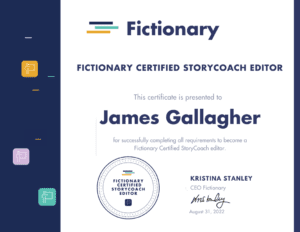
    [vc_row][vc_column][vc_column_text]I’m pleased to announce that I’ve completed my Fictionary certification and am now listed among the program’s Fictionary-Certified StoryCoach Editors.


    The training program entailed two months of text and video lessons, biweekly Zoom calls with Fictionary founder Kristina Stanley and other members of the class, and the completion of an entire developmental edit using Fictionary software.

    The edit included the tracking of story elements in the software, notes per scene, in-line comments, and what turned out to be a thirty-page summary letter complete with story insights and visuals.

    My certification also came with this cool badge:

    About Fictionary

    Fictionary is an editing aid for performing developmental edits in a comprehensive and objective manner.

    Fictionary makes it easy for editors to track 38 story elements for character, plot, setting, and structure. The software also allows editors to view data in a variety of ways and to produce visual insights to help clients better see story and character arcs, words and characters per scene, POV issues, POV goals, scene tension, and other important elements. 

    Other Training

    I’m proud of the work I put in on my Fictionary certification, as it isn’t easy to add training to a full editing schedule. Continued development is important, though, and I try to regularly take classes, often through ACES or the EFA (I’m a member of both). To further my studies, I regularly view webinars and read craft books on editing.

    I also meet biweekly with my editors’ group, Pens & Pilcrows, which I founded in 2021. The group has provided a wonderful level of support and inspiration, and it has been all that I’d hoped it would be.

    As I said above, adding training to a full schedule is never easy, but I always come away feeling as though I have more to offer clients. This year I’ve taken courses in manuscript evaluation, line editing, markup in PDF page proofs, and, of course, Fictionary.

    I’m also enrolled in a class for editing science fiction and fantasy. That kicks off at the end of September, and it’s one I’ve been looking forward to.

    Need Copyediting or a Story Edit?

    If you’d like to learn more about story editing with Fictionary or my copyediting services, email me at James@castlewallsediting.com or use the online form on this site.[/vc_column_text][/vc_column][/vc_row]

  • Training and Its Many Benefits

    Training and Its Many Benefits

    Professional associations such as the Editorial Freelancers Association (EFA) and ACES: The Society for Editing offer many resources that help editors excel in their work and run successful businesses.

    I particularly appreciate the access to quality training provided by these organizations, which offer courses at discounted fees to members. 

    Courses are generally either learn-at-your-own-pace (where you’re given access to the materials for a set period, typically six months) or instructor led (in which instructors deliver training materials each week for a designated stretch, providing students with weekly feedback on graded assignments).

    The EFA and ACES have also made free webinars available to members during the pandemic.

    The benefits of training are many:

    • Refresh your knowledge
    • Stay current with trends in the profession
    • Expand your editorial offerings
    • Get feedback from world-class professionals
    • Meet other editing professionals
    • Reinvigorate your enthusiasm for the profession
    • Fill gaps in your schedule in a positive way 


    Refresh your knowledge

    Most editing skills are picked up through hard-earned experience, and basic courses may seem below your current skill level. But even 101-type courses can fill a gap in your knowledge or cause you to rethink an aspect of your editing business.

    Stay current with trends in the profession

    Language is always changing, along with electronic tools, editing trends, and publisher requirements. Continued training keeps you current and enables you to incorporate new tools and fine-tune your processes.

    Expand your editorial offerings

    Proofreading is very different from copy editing, and copy editing is different from line editing, and line editing is different from developmental editing. Training lets you get your feet wet in new areas under the guidance of a seasoned professional.

    Get feedback from world-class professionals

    Your instructors are generally respected members of the editing community (and in my experience they care deeply both about the profession and about helping others). Learning from the best is never a bad idea.

    Meet other editing professionals

    Most classes contain forums where you can meet your classmates and learn from those at all levels. The editing community is wide and welcoming, and the fellow editors you meet will prove invaluable for sharing both knowledge and work opportunities.

    Reinvigorate your enthusiasm for the profession

    Learning something new almost always fires you with enthusiasm for putting your knowledge into practice. It’s easy to get caught up in the grind of job after job, and stepping back for a moment can remind you of what you love about editing.

    Fill gaps in your schedule in a positive way 

    For those running their own businesses, any downtime between jobs can feel like lost time and fill you with anxiety. Though there is never a shortage of marketing, accounting, or other nonediting work to tackle, training is a particularly satisfying way to bridge gaps between jobs.


    The following is a selection of courses I’ve taken from my professional organizations (and from the amazing Jennifer Lawler):

    Copyediting: Beginning (EFA)

    Copyediting: Intermediate (EFA)

    Copyediting: Advanced (EFA)

    Developmental Editing of Fiction: Beginning (EFA)

    Developmental Editing of Fiction: Intermediate (EFA)

    Developmental Editing of Mystery, Thriller, Suspense (Jennifer Lawler)

    Editing the Romance (Jennifer Lawler)

    Essentials of Conflict (Jennifer Lawler)

    Truby’s Masters Studio: Horror, Sci-Fi, and Fantasy (Audio)

    How to Edit Marketing Materials with Savvy and Sense (ACES/Poynter)

    The Art and Science of Editing (ACES/Poynter)

    The Web’s Best Editing Resources (ACES/Poynter)

    Language Primer: Basics of Grammar, Punctuation and Word Use (ACES/Poynter)

    Writing Online Headlines: SEO and Beyond (ACES/Poynter)

    Getting It Right: Accuracy and Verification in the Digital Age (ACES/Poynter)

    Fundamentals of Editing (ACES/Poynter)

    Clarity Is Key: Making Writing Clean and Concise (ACES/Poynter)

  • Editing with Word’s Read Aloud Feature

    Editing with Word’s Read Aloud Feature

    After a publisher client suggested that all its editors try Word’s Read Aloud feature to help eliminate errors such as missing or repeated words, I decided to give it a shot.

    I hadn’t used the feature before and suspected I’d react badly to another voice in my head while editing. But for a last look at a document in the late stages of the editing process, I’m liking it more and more.

    (I touched briefly on this feature when writing about the benefits of reading aloud here.)

    What Is Read Aloud?

    Read Aloud is Microsoft Word’s text-to-speech function in Word 2016 (Office 365). You can access it on the Review ribbon or add it to the Quick Access Toolbar.

    When you select this function, the program reads the text to you, starting where the cursor is positioned. Each word is then highlighted as it’s read.

    A little control panel will also appear for jumping back a paragraph, jumping forward a paragraph, and playing/pausing the function.

    A settings button lets you adjust the speed of the reading, from painfully slow to lightning fast. You can select from three options for readers: Microsoft David, Microsoft Zira, and Microsoft Mark.

    I’m partial to Microsoft Zira.

    I set a pace at a little over halfway across the speed bar. Without halting the function for edits, this seemed to read through approximately thirty pages of a standard format (Times New Roman, 12 pt., double spaced) romance novel in an hour.

    How’s the Quality?

    For the most part, Real Aloud wasn’t glitchy. At one point it switched to Microsoft David for no apparent reason (disturbing!), and at another point the synching went off between the reading and the highlighting of the words. For each case, I paused the reading and hit play again, which fixed the problem.

    Zira’s voice would also periodically take on a raspy quality for the length of a paragraph, as though the program were encountering difficulty processing what was being read.

    I suppose this could have something to do with connectivity or my processing speed or an underlying code for that stretch of text, but this occurred only on certain paragraphs, and each time the reading went back to a fully voiced Zira at the start of the next paragraph.

    I was happy with the pace I’d set for the reading, but the program did pause (to my mind) overly long on paragraph marks, while the space between sentences seemed just right.

    Zira had little trouble with most words, though she occasionally read Olivier as Oliver, and for some reason she read sun as Sunday in a number of places (though not in all instances).

    The function didn’t pause at em dashes or ellipses, reading straight through in a way that a reader never would, and it read abs and expressions such as mmm as individual letters: a-b-s and m-m-m, respectively.

    Zira also had comical stumbles over Airbnb (though that’s a tough one) and Liberace (for which she read the last syllable as though it were the playing card).

    But the overall quality of the reading was high.

    My Process

    I usually have my second monitor (the one with the manuscript) turned portrait with the page at 150 percent.

    For the Read Aloud pass, I turned my monitor landscape and blew the manuscript up to 200 percent. This might provide “seeing the text anew” benefits both from the larger font and from hearing the text.

    As I listened, I “followed the bouncing ball” as Zira read and the words were highlighted. If I were reading as an author and not an editor, I could see a benefit in freeing yourself from the page entirely, but I was too afraid of missing homonyms or weird punctuation.

    Benefits

    Doing this kind of reading seemed to require less mental effort (Zira doing the heavy lifting of the read), and this let me move my eye around the text a bit while Zira read. It also may have enabled me to stay fresh for a longer period.

    The hope would be that lessening the mental energy of reading during the final pass would result in picking up errors that might otherwise have been missed.

    While it was a different editing experience, the internal error-detection alarm that went off when encountering an error was much the same. So the same editorial sensors seem to be at work, and I can easily believe that doing this kind of reading would help prevent my mind from filling in words that I “know” are there or that I expect to be there, but which really aren’t.

    An error that seems particularly illustrative is that of a man “siting at the counter,” which of course should have been “sitting at the counter.” The long i in siting jumped out in a way it might not have if reading without the audio.

    Without the audio, the context might cause you to read it as “sitting” and not catch the missing t until just after you’ve read the word, whereupon you would then back up and say, “Oh, they actually have ‘siting’ there.” Or the context might cause you to read it as “sitting” and not catch the error at all, which isn’t acceptable.

    Another benefit is that Read Aloud moves through the text on its own, so you don’t have to scroll or arrow through the document.

    At least for me, I found that doing a read that was markedly different from previous reads on the text renewed my enthusiasm for the read-through. Maybe it’s because it’s still a new process, but I am enjoying using the feature, and those positive vibes can’t hurt.

    I’d thereby list these as the benefits of using Read Aloud:

    (1) Less mental drain because you’re sharing the reading load

    (2) Better identification of missing and repeated words because your mind can’t automatically fill these in or gloss over them

    (3) Better identification of errors because of pronunciation clues

    (4) No scrolling

    (5) Renewed enthusiasm for additional read-throughs

    Drawbacks

    Initial edits on a document require too much hands-on-keyboard time to make it practical for early passes. Constantly pausing the reading to make edits would also grow irritating, so a last look with few expected errors is the only time I can see using the function.

    The function also doesn’t seem to work when tracked changes are showing, as it reads deletions along with inserted text.

    If you’re tracking changes, you’ll need to show “No Markup” to use the feature effectively.

    A final note is that, while the quality of the reading is high, a word mispronounced consistently through a text could set an editor’s teeth on edge.

    The following are therefore what I see as drawbacks:

    (1) Only practical for final passes

    (2) Does not play well with tracked changes

    (3) May contain irritating pronunciation errors

    Conclusion

    While I would not use the feature on initial passes on a document, I’m enjoying Read Aloud and will continue to experiment with it for final passes.

    Have you played with this feature?

  • My Editing Checklist

    My Editing Checklist

    When used by doctors and air-traffic controllers, checklists save lives by ensuring that critical steps aren’t missed during high-stress situations.

    Editing doesn’t involve life-or-death stakes (usually), but checklists are still helpful for reducing complexity and lessening the burden on memory for routine tasks. Even after spending forty or more hours on a manuscript, it’s easy, for example, to send off a final package to the client and forget the invoice.

    Unlike a style sheet, which goes to the client, the checklist is just for me. There is some overlap, but the checklist simply helps me roll through the steps in my editing process without forgetting anything, whereas the style sheet records such things as proper nouns, variant spellings, and unusual usages. (For more information on style sheets, click here.)

    The following is a typical checklist I’d use for a manuscript to be edited in accordance with the Chicago Manual of Style (17th edition) and Merriam-Webster’s Collegiate, but it’s easily adapted for other styles or editing requirements I’m charged with.

    Prework

     Create contract (Word exported to PDF)
     Create invoice (Word exported to PDF)
     Set up style sheet (Google Docs)
     Set up chapter-breakdown sheet (Google Docs)
     Rename author’s file
     Set up Toggl for job

    Formatting

     Double space lines of text
     Set automatic indents and delete extraneous tabs with Editor’s Toolkit
     Delete extra returns (Editor’s Toolkit)
     Delete spaces around returns (Editor’s Toolkit)
     Remove double spaces (Editor’s Toolkit)
     Close space around em dashes and ens (editor’s Toolkit)
     Check heading styles
     Check page breaks
     Format ellipses (Editor’s Toolkit)
     Turn straight quotes to curly (Editor’s Toolkit)
     Check TOC

    Editing

     Start Toggl
     Turn on Track Changes
     Delete commas before “too” and “either” at end of sentence or clause
     Watch for towards, backwards, etc.
     Check for close quotes after em dashes in dialogue
     Ensure US stylings
     Use serial commas
     Insert comments questioning logic, continuity, etc.
     Insert comments praising author’s craft
     Run PerfectIt before second pass
     Read through comments and check tone

    Postediting

     Send edited manuscript with tracked changes
     Send clean PDF
     Send style sheet
     Send chapter breakdown
     Send cover letter
     Send invoice
     Thank them!
     Send follow-up with info on referral fee

    In the above, Toggl is a time-tracking application, Editor’s Toolkit is a collection of macros, and PerfectIt is a consistency checker, all of which I find highly useful. I also talk about the tools I use in my editing business in my post “Five Tools That Help My Editing Business.”

    Do you use checklists in your work?

    About James Gallagher

    James Gallagher is a copyeditor and the owner of Castle Walls Editing. For more information about how he can help with your writing projects, email James@castlewallsediting.com.

    References:

    Gawande, Atul. The Checklist Manifesto: How to Get Things Right. New York: Henry Holt, 2009.

  • Writing Sprints for NaNoWriMo and Beyond

    Writing Sprints for NaNoWriMo and Beyond

    National Novel Writing Month (NaNoWriMo) is fast approaching, and many writers are biting their nails hoping they can find the time to pound out 50,000 words in November.

    “Not enough time” is a constant refrain among hopeful writers — and an understandable one. Day jobs, family, friends, chores, outside-of-work appointments, life(!) all come between writers and actual, honest-to-God, sitting-down-at-your-computer writing.

    But a piece of advice you’ll hear again and again from successful writers is that writers write. No one has the time, but if you really want to write, you’ll find the time. You’ll make the time.

    Sprints are one way you can do this.

    WHAT IS A SPRINT?

    If you’re familiar with the business world, you’ve probably heard about Agile and Scrum and Scrum sprints, or timeboxed activities that take place over a short time (usually a month) with a clear goal. Sprints help businesses stay on task, cope with change, and deliver better products.

    For our purposes, especially if words like deliverables and iterative processes put you to sleep, sprints are short bursts of a single, uninterrupted activity.

    You might sit down and write for half an hour, take a break, and then conduct another sprint. People also join group sprints through social media, the camaraderie adding further incentive to meet your writing goals.

    BENEFITS OF SPRINTS

    The following are ways sprints can help you during NaNoWriMo and beyond.

    You accomplish a short-term goal. Micro habits are small, achievable tasks you can do every day to give you a sense of accomplishment, which in turn increases your ability to tackle larger projects. Even making your bed in the morning lets you tick an item off your to-do list and feel better about the day’s challenges.

    Lack of confidence is a barrier writers struggle with. No one can write a novel. I mean, come on. It’s too big a task. Too daunting. But you can write for half an hour. You can pound out 500 words. And if you do this again and again, you’ve written a novel without being crushed under the enormity of mentally tackling the whole thing at once.

    You separate yourself from distractions. Writers are great procrastinators. Let’s face it: writing is hard. It requires discipline and facing our own fears. You can’t hide from yourself on the page.

    Writing is something many writers feel they were meant to do, something they feel is their calling, perhaps even the most important thing they’ll ever do. That’s a lot of pressure, and it’s easy to shy away from it. You can’t fail if you don’t try.

    But you also can’t succeed.

    Our world also presents us with more distractions than ever. (Is your Twitter feed calling?) Sprints make you block all that out, at least for the duration of the sprint. You don’t check email, Facebook, or Twitter. You don’t answer your phone. You ignore the kids. You do what you have to do.

    You instill discipline into your writing routine. Muscles develop day-by-day with exercise, and the more you exercise, the better shape you find yourself in. Your brain benefits from exercise too.

    The more writing sprints you run, the more you train your brain to jump quickly into writing mode.

    People who have trouble sleeping are told to make the bed a place for sleep only, so your mind associates it only with sleep and will therefore slip into sleep mode faster when you crawl under the sheets. Writing sprints help you do something similar when sitting down at your computer.

    You send a clear message to those around you. Has anyone ever struck up a conversation with you while you’re reading in a public place? I always feel like the person sees you reading and thinks, Oh, God, they’re reading. What a terrible fate! I better go rescue them! It’s infuriating.

    Family and friends can do the same thing while you’re writing. Hanging up your DO NOT DISTURB sign or doing whatever it takes to tell friends and family that you’re writing for the next hour (or half hour, or whatever the duration of your sprint is) helps create that space.

    Specifying a definitive amount of time also helps wall this time off, because it prevents the “as good a time as any” approach to interrupting that someone can take if there are no definitive boundaries around your time.

    WHAT ARE THE KEYS TO A SUCCESSFUL SPRINT?

    You can do a few things to get the most out of your sprints.

    Prepare. The most important thing is to work steadily and productively through the sprint. If you sit down and write nothing, you haven’t made it out of the starting blocks.

    For NaNoWriMo, you can outline your novel ahead of time (but it’s almost November and the clock is ticking!). Another trick is always ending your writing session before the end of a scene, so in the next writing session you can pick right up where you left off.

    In your free moments (washing dishes, driving home from work, conducting brain surgery), think about what you’re going to write. This prevents you from having no idea where you’re going when you sit at the computer or take out your notebook and pen.

    Commit. The busiest time of the year at any gym is usually right after New Year’s. Everyone is packing the place and is committed to New Year’s resolutions to exercise more. But check out the same gym in mid February and count the tumbleweeds blowing by.

    You have to commit to your sprints and make them productive. With NaNoWriMo, it’s easy to start strong but end up jumping ship when fatigue sets in. So the depth of your commitment will be tried.

    NaNoWriMo provides great progress reports, and that “words per day to finish” feature can help or hurt your confidence. So try to come out of the gates quickly to keep that number as low as possible. And then use sprints to manage your one-day-at-a-time approach.

    Communicate. As we talked about above, those around you can both support and hinder your writing efforts, and many times this is well meaning or unintentional. Someone who doesn’t write may want to help but end up invading your mental space.

    So it’s important to set your time boundaries and enforce your do-not-disturb policy. And then be exceedingly kind to the people who enable your writing by watching your kids, giving you that space, or providing any of the other kindnesses and allowances loved ones make for this demanding endeavor.

    ARE EDITING SPRINTS GOOD OR BAD?

    I’ve seen more and more talk online about editing sprints, which follow the same concept. A fairly recent ACES: The Society for Editing chat even centered on this topic, and a lot of great editors extolled the virtues of editing sprints for tackling their work.

    I like the sentiment. It’s hard to argue that an uninterrupted period of activity is bad for editing. There’s no doubt that ignoring email or social media while editing is a good thing, but I also feel like this should go without saying.

    More than anything, though, I don’t like the word sprint associated with editing. With writing, it’s often important to get that first draft on the page at any cost. But editing needs to be slow and methodical — never a frantic, rushed activity.

    So while I think the idea of an editing sprint is a good one, I don’t like the word in this context, and I would prefer editors use it for admin tasks or some other activity that doesn’t require the slow, methodical mindset.

    When I worked at the audiobook company Recorded Books, we proofed thousands and thousands of audiobook covers. The covers came fast and furious, and there was always temptation to rush to handle the workload.

    So I put together a sheet of Editing Rules of the Road, with the first rule being to “Slow Down!” When it comes to editing, this is always good advice.

    ABOUT JAMES GALLAGHER

    ACES and EFA member James Gallagher is owner/editor at Castle Walls Editing. If you’re in need of copyediting, send a message through the contact form on this site or email James at James@castlewallsediting.com.