Category: Editing

  • Books Edited by James Gallagher

    Books Edited by James Gallagher

    The following are books I’ve edited, either through Castle Walls Editing or other editing agencies. I look forward to editing your book as well!


    An Invincible Summer by Mariah Stewart (Copyedit)

    Straight Answers by Dr. Christopher Chung (Final Manuscript Proof)

    Blindsided by Erica Hilary (Manuscript Evaluation)

    From These Broken Streets by Roland Merulla (Proofread)

    Red, White, and the Blues by John Hall (Copyedit)

    Bloodline by Jess Lourey (Cold Read)

    The Jake Ryan Complex by Bethany Crandell (Copyedit)

    Forbidden Fate (Stolen Soul Mate, Part II) by Mary Catherine Gebhard (Copyedit)

    The Silence by Kendra Elliot (Cold Read)

    Trey by Ann Marie Madden (Copyedit)

    Abducted by K.I. Lynn (Copyedit)

    The Three Mrs. Wrights by Linda Keir (Copyedit)

    In the Dark with the Duke by Christi Caldwell (Cold Read)

    Once Upon a Winter’s Kiss by Joanne Schwehm (Proofread)

    Roommaid by Sariah Wilson (Proofread)

    How Much I Feel by Marie Force (Copyedit)

    An American Coven(ant) by Lucile Scott (Proofread)

    Stolen Soul Mate, Part I by Mary Catherine Gebhard (Copyedit)

    Bone Canyon by Lee Goldberg (Copyedit)

    The Guardians of Saveba by Barbara Griffin (Copyedit)

    Raising Them by Kyl Myers (Cold Read)

    The Unspoken by Ian K. Smith (Copyedit)

    Honeysuckle Season by Mary Ellen Taylor (Copyedit)

    The Mountain by Steven Konkoly (Copyedit)

    Disavow by Karina Halle (Cold Read)

    Lead Me Back by CD Reiss (Copyedit)

    Contract to Unite America by Neal Simon (Cold Read)

    Building in Paradise by William Hirsch (Copyedit)

    Girl Gone Mad by Avery Bishop (Copyedit)

    An Unfinished Story by Boo Walker (Copyedit)

    Dark Tomorrow by Reece Hirsch (Copyedit)

    Authority Marketing by Adam Witty and Rusty Shelton (Final Manuscript Proof)

    Say Grace by Steve Palmer (Final Manuscript Proof)

    Just a Boyfriend by Sariah Wilson (Cold Read)

    Heartless Hero by Mary Catherine Gebhard (Copyedit)

    Loving Miss Sassy by A. M. Madden and Joanne Schwehm (Copyedit)

    Anyone But Nick by Penelope Bloom (Copyedit)

    Relentless Implementation by Adam Witty (Final Manuscript Proof)

    Lean On by Andreas Wilderer (Proofread)

    Disarm by Karina Halle (Cold Read)

    Defending Zara by Susan Stoker (Copyedit)

    The Wild One by Ruth Cardello (Copyedit)

    Hitched by Joanne Schwehm (Copyedit)

    The Amber Secret by David Leadbeater (Proofreading)

    Fake Truth by Lee Goldberg (Copyedit)

    The Missing Sister by Elle Marr (Proofreading)

    Pay Up! by “Chip” Merlin (Copyedit)

    Know Grow Exit by W. Cliff Oxford (Proofreading)

    Liner Notes by A. M. Madden (Copyedit)

    Butterfly in Frost by Sylvia Day (Cold Read)

    Anyone But Cade by Penelope Bloom (Copyedit)

    Once Night Falls by Roland Merullo (Proofreading)

    Party Girl’s First Real Date by Rachel Hollis (Cold Read)

    Discretion by Karina Halle (Cold Read)

    The Broken One by Ruth Cardello (Copyedit)

    Insatiable by LL Collins (Copyedit)

    From My Side and Yours by Ciara Stephens (Line Edit)

    Hooked by Joanne Schwehm (Copyedit)

    When She Returned by Lucinda Berry (Copyedit)

    Ms. Mirage by Joe Tone (Cold Read)

    Drowning with Others by Linda Keir (Cold Read)

    The Visitor by Dodai Stewart (Copyedit)

    I’ll Never Tell by Catherine McKenzie (Cold Read)

    The Poison Garden by A.J. Banner (Copyedit)

    Sold Out by A. M. Madden (Copyedit)

    Secrets Never Die by Melinda Leigh (Cold Read)

    Stiffed by Joanne Schwehm (Copyedit)

    Meredith and Other Women by (Cold Read)

    The Autopilot Garden: A Guide to Hands-off Gardening by (Copyedit)

    I Always Wanted to Be a Spy by Judith Barrett (Copyedit)

    Narcissistic Abuse Recovery Bible by Shannon L. Alder (Copyedit)

    Forever Elle by Heather Chapman (Copyedit)

    Simply Starstruck by Aspen Hadley (Copyedit)

    Rules of Health by Behzad Azargoshasb (Copyedit)

    The Hope Squad by Greg Hudnall (Copyedit)

    Biker with Benefits by Mickey Miller (Copyedit)

    Be Organized by Marie Ricks (Copyedit)

    Craving Mr. Kinky by A. M. Madden and Joanne Schwehm (Copyedit)

    The Girl Who Saw Clouds by Judith Barrett (Copyedit)

    Leading Exponential Change by Erich Buhler (Copyedit)

    The Kids in the Cemetery by Matt Mann (Copyedit)

    The Grimwoods by Matt Mann (Copyedit)

  • Training and Its Many Benefits

    Training and Its Many Benefits

    Professional associations such as the Editorial Freelancers Association (EFA) and ACES: The Society for Editing offer many resources that help editors excel in their work and run successful businesses.

    I particularly appreciate the access to quality training provided by these organizations, which offer courses at discounted fees to members. 

    Courses are generally either learn-at-your-own-pace (where you’re given access to the materials for a set period, typically six months) or instructor led (in which instructors deliver training materials each week for a designated stretch, providing students with weekly feedback on graded assignments).

    The EFA and ACES have also made free webinars available to members during the pandemic.

    The benefits of training are many:

    • Refresh your knowledge
    • Stay current with trends in the profession
    • Expand your editorial offerings
    • Get feedback from world-class professionals
    • Meet other editing professionals
    • Reinvigorate your enthusiasm for the profession
    • Fill gaps in your schedule in a positive way 


    Refresh your knowledge

    Most editing skills are picked up through hard-earned experience, and basic courses may seem below your current skill level. But even 101-type courses can fill a gap in your knowledge or cause you to rethink an aspect of your editing business.

    Stay current with trends in the profession

    Language is always changing, along with electronic tools, editing trends, and publisher requirements. Continued training keeps you current and enables you to incorporate new tools and fine-tune your processes.

    Expand your editorial offerings

    Proofreading is very different from copy editing, and copy editing is different from line editing, and line editing is different from developmental editing. Training lets you get your feet wet in new areas under the guidance of a seasoned professional.

    Get feedback from world-class professionals

    Your instructors are generally respected members of the editing community (and in my experience they care deeply both about the profession and about helping others). Learning from the best is never a bad idea.

    Meet other editing professionals

    Most classes contain forums where you can meet your classmates and learn from those at all levels. The editing community is wide and welcoming, and the fellow editors you meet will prove invaluable for sharing both knowledge and work opportunities.

    Reinvigorate your enthusiasm for the profession

    Learning something new almost always fires you with enthusiasm for putting your knowledge into practice. It’s easy to get caught up in the grind of job after job, and stepping back for a moment can remind you of what you love about editing.

    Fill gaps in your schedule in a positive way 

    For those running their own businesses, any downtime between jobs can feel like lost time and fill you with anxiety. Though there is never a shortage of marketing, accounting, or other nonediting work to tackle, training is a particularly satisfying way to bridge gaps between jobs.


    The following is a selection of courses I’ve taken from my professional organizations (and from the amazing Jennifer Lawler):

    Copyediting: Beginning (EFA)

    Copyediting: Intermediate (EFA)

    Copyediting: Advanced (EFA)

    Developmental Editing of Fiction: Beginning (EFA)

    Developmental Editing of Fiction: Intermediate (EFA)

    Developmental Editing of Mystery, Thriller, Suspense (Jennifer Lawler)

    Editing the Romance (Jennifer Lawler)

    Essentials of Conflict (Jennifer Lawler)

    Truby’s Masters Studio: Horror, Sci-Fi, and Fantasy (Audio)

    How to Edit Marketing Materials with Savvy and Sense (ACES/Poynter)

    The Art and Science of Editing (ACES/Poynter)

    The Web’s Best Editing Resources (ACES/Poynter)

    Language Primer: Basics of Grammar, Punctuation and Word Use (ACES/Poynter)

    Writing Online Headlines: SEO and Beyond (ACES/Poynter)

    Getting It Right: Accuracy and Verification in the Digital Age (ACES/Poynter)

    Fundamentals of Editing (ACES/Poynter)

    Clarity Is Key: Making Writing Clean and Concise (ACES/Poynter)

  • Don’t Lift the Lid! Slow Cookers and Editing

    Don’t Lift the Lid! Slow Cookers and Editing

    Lifting the lid on a slow cooker, even for a second, supposedly adds thirty minutes to cooking time. In much the same way, there seems to be a disproportionate amount of time lost when an interruption takes editors out of their editing groove.

    If I’m editing a manuscript and have to stop to address a completely different matter, this shifting of gears takes my mind off the project and interrupts my flow. When you have forty or more hours ahead of you on a book edit, little bits of time lost can add up quickly and affect your ability to hit your deadlines.

    Most editors have to play a kind of scheduling Tetris to ensure they hit their deadlines and get their clients their edited manuscripts. Delays on one job can easily affect every other job on the schedule, so it’s no wonder editors are so serious about keeping their work moving.

    Managing interruptions is therefore a vital editing skill.

    Interruptions can include emergency requests for quick-turn assignments, personal and professional emails, phone calls, and face-to-face interactions with coworkers or family.

    The extent to which an editor is affected by an interruption depends on the following:

    • Nature of the interruption. Answering a quick question will obviously affect the job you’re working on less than needing to completely break to spend an hour proofing an emergency job. For such an emergency request, there might be research involved, or you might have to wait for more information from that client (and trying to work on one job while keeping an eye out for information needed for an emergency request is less than ideal, because it splits your thoughts).
    • Where you are in the editing process. An interruption might be easier to process if the work you’re doing is more mechanical (invoicing or answering emails or cleaning up your style sheet) than if you’re in the midst of hard-core, concentration-intensive editing.
    • Your state of mind. The more pressure you’re under to hit a deadline on your current job and the more concentration required by that job, the more likely you are to have trouble recovering from an interruption. Stress from outside sources (a pandemic affecting lives the world over comes to mind) will also likely have an outsize effect on how you handle interruptions.


    Interruptions are inevitable

    Interruptions, of course, are inevitable, especially for work-at-homers whose offices are no longer the quiet places they were before the COVID-19 crisis prevented family members from heading off to school or places of employment.

    While interruptions are unavoidable, they can be minimized by policing yourself (refraining from answering the phone or checking email and social media) and by communicating with those in your vicinity so they understand why you need quiet time and when it’s okay to break into that time.

    (Corporate clients are most likely to have emergency requests, and because corporate clients often pay higher fees, they enable editors to perform the lower-paying manuscript work that may be the editor’s true love. Editors, therefore, often need to accept emergency requests to keep paying their bills.)


    Breaks are not interruptions

    Interruptions can negatively affect your work, but breaks are a whole different ball game. After a ten-minute break at the top of the hour, you’re more likely to concentrate better than if you’d worked straight through.

    While an interruption can break your flow and make you feel like you’re not making the progress you want to make, little breaks can refresh you and enable you to work longer and more effectively. 

    These breaks can also have physical benefits if you use them to stretch, move around a bit, or even do a few arm curls. I don’t adhere to it as well as I should, but the 20/20/20 rule, in which every 20 minutes you focus on something 20 feet away for 20 seconds, can do wonders for eye strain.


    Low and slow

    As with a slow cooker meal, editing is usually best when done low and slow. This, however, isn’t always possible. If something drops on your desk and it’s needed in an hour, you might have to take that baby out of the slow cooker and throw it in the microwave.

    With this kind of triage editing, prioritization is everything, because you might not have time to address every aspect of the work. In these cases you have to identify the most important aspects of the work, ensure those are correct, and only then address less prioritized matters, if time allows.

    But I’ll always prefer the slow cooker to the microwave, and whenever possible, I’ll be taking it low and slow.


    Lots of ingredients

    As I continue to stretch the comparison, I’ll add that slow cookers are so effective because they (like editors) meld ingredients (skills) over consistent heat (effort and concentration). 

    For clients, the editor (slow cooker) they need is a complicated combination of specialty (developmental editor, line editor, copy editor, proofreader) and bona fides (certifications, client list, books published, referrals, fact-checking cred, familiarity with style guides, ability to work with tech tools, and knowledge of grammar, punctuation, and spelling).


    Preparation

    Slow cookers are all about preparation. That’s the magic: assemble all your ingredients, set the slow cooker, and let it do its thing for the next eight hours. 

    Preparation is just as important for enabling editors to edit, and preparation can take many forms:

    • Workspace: A dedicated workspace with plenty of room to operate, multiple monitors, and ergonomic accommodations makes for happy, healthy editors.
    • References: Whether accessing dictionaries, style guides, and other resources online or through your personal library, quick access to the references you need is essential.
    • Prework: Creating invoices, setting up your style sheet, and formatting your document all allow editors to get on with the business of editing their documents. 


    The flavors meld

    Editors spend long hours on any given job. While interruptions can’t be avoided entirely, they can often be minimized or dealt with effectively, leading to a meal (edited manuscript) that will have clients drooling.

  • Over 3.5 Million Words Served

    Over 3.5 Million Words Served

    The other day I summed the word counts on my books-edited spreadsheet and saw that in the last two years I’ve edited over 3.5 million words.

    That’s a big number, the kind of number that’s impossible to fully imagine. Most of the books I copy edit or proofread range from 70,000 to 100,000 words, so the number starts to come into focus when you realize that editing ten 100,000-word books will get you to your first million.

    Before I devoted myself full-time to Castle Walls Editing around two years ago, I’d worked for nearly fifteen years as an editor for Recorded Books. During that time I ran Castle Walls on the side, doing occasion freelance work, so I’d have to do some digging to attempt a guess at a lifetime number for words edited.

    A word, however, is not a word is not a word is not a word. By that I mean that, while most editors base estimates for jobs partially on word count (noting that the number of pages is not a reliable indicator of word count because of variations in font, margins, and line spacing), word count alone will not let you estimate how long a job will take.

    With new authors, editors need to see a sample of the work to determine the level of editing required. An author might ask for a simple “last check” proofread but need a developmental edit.

    Or a job might be riddled with typos and punctuation errors or tangled grammar. Or require fact-checking. Or have time-consuming notes and reference lists. Or be remarkably clean.

    But whatever the case, if the level of edit does not match what’s needed, neither the editor nor the author is well served. As with anything in life, a calm assessment of the work ahead is a good first step for ensuring everyone is happy. 


  • Editing with Word’s Read Aloud Feature

    Editing with Word’s Read Aloud Feature

    After a publisher client suggested that all its editors try Word’s Read Aloud feature to help eliminate errors such as missing or repeated words, I decided to give it a shot.

    I hadn’t used the feature before and suspected I’d react badly to another voice in my head while editing. But for a last look at a document in the late stages of the editing process, I’m liking it more and more.

    (I touched briefly on this feature when writing about the benefits of reading aloud here.)

    What Is Read Aloud?

    Read Aloud is Microsoft Word’s text-to-speech function in Word 2016 (Office 365). You can access it on the Review ribbon or add it to the Quick Access Toolbar.

    When you select this function, the program reads the text to you, starting where the cursor is positioned. Each word is then highlighted as it’s read.

    A little control panel will also appear for jumping back a paragraph, jumping forward a paragraph, and playing/pausing the function.

    A settings button lets you adjust the speed of the reading, from painfully slow to lightning fast. You can select from three options for readers: Microsoft David, Microsoft Zira, and Microsoft Mark.

    I’m partial to Microsoft Zira.

    I set a pace at a little over halfway across the speed bar. Without halting the function for edits, this seemed to read through approximately thirty pages of a standard format (Times New Roman, 12 pt., double spaced) romance novel in an hour.

    How’s the Quality?

    For the most part, Real Aloud wasn’t glitchy. At one point it switched to Microsoft David for no apparent reason (disturbing!), and at another point the synching went off between the reading and the highlighting of the words. For each case, I paused the reading and hit play again, which fixed the problem.

    Zira’s voice would also periodically take on a raspy quality for the length of a paragraph, as though the program were encountering difficulty processing what was being read.

    I suppose this could have something to do with connectivity or my processing speed or an underlying code for that stretch of text, but this occurred only on certain paragraphs, and each time the reading went back to a fully voiced Zira at the start of the next paragraph.

    I was happy with the pace I’d set for the reading, but the program did pause (to my mind) overly long on paragraph marks, while the space between sentences seemed just right.

    Zira had little trouble with most words, though she occasionally read Olivier as Oliver, and for some reason she read sun as Sunday in a number of places (though not in all instances).

    The function didn’t pause at em dashes or ellipses, reading straight through in a way that a reader never would, and it read abs and expressions such as mmm as individual letters: a-b-s and m-m-m, respectively.

    Zira also had comical stumbles over Airbnb (though that’s a tough one) and Liberace (for which she read the last syllable as though it were the playing card).

    But the overall quality of the reading was high.

    My Process

    I usually have my second monitor (the one with the manuscript) turned portrait with the page at 150 percent.

    For the Read Aloud pass, I turned my monitor landscape and blew the manuscript up to 200 percent. This might provide “seeing the text anew” benefits both from the larger font and from hearing the text.

    As I listened, I “followed the bouncing ball” as Zira read and the words were highlighted. If I were reading as an author and not an editor, I could see a benefit in freeing yourself from the page entirely, but I was too afraid of missing homonyms or weird punctuation.

    Benefits

    Doing this kind of reading seemed to require less mental effort (Zira doing the heavy lifting of the read), and this let me move my eye around the text a bit while Zira read. It also may have enabled me to stay fresh for a longer period.

    The hope would be that lessening the mental energy of reading during the final pass would result in picking up errors that might otherwise have been missed.

    While it was a different editing experience, the internal error-detection alarm that went off when encountering an error was much the same. So the same editorial sensors seem to be at work, and I can easily believe that doing this kind of reading would help prevent my mind from filling in words that I “know” are there or that I expect to be there, but which really aren’t.

    An error that seems particularly illustrative is that of a man “siting at the counter,” which of course should have been “sitting at the counter.” The long i in siting jumped out in a way it might not have if reading without the audio.

    Without the audio, the context might cause you to read it as “sitting” and not catch the missing t until just after you’ve read the word, whereupon you would then back up and say, “Oh, they actually have ‘siting’ there.” Or the context might cause you to read it as “sitting” and not catch the error at all, which isn’t acceptable.

    Another benefit is that Read Aloud moves through the text on its own, so you don’t have to scroll or arrow through the document.

    At least for me, I found that doing a read that was markedly different from previous reads on the text renewed my enthusiasm for the read-through. Maybe it’s because it’s still a new process, but I am enjoying using the feature, and those positive vibes can’t hurt.

    I’d thereby list these as the benefits of using Read Aloud:

    (1) Less mental drain because you’re sharing the reading load

    (2) Better identification of missing and repeated words because your mind can’t automatically fill these in or gloss over them

    (3) Better identification of errors because of pronunciation clues

    (4) No scrolling

    (5) Renewed enthusiasm for additional read-throughs

    Drawbacks

    Initial edits on a document require too much hands-on-keyboard time to make it practical for early passes. Constantly pausing the reading to make edits would also grow irritating, so a last look with few expected errors is the only time I can see using the function.

    The function also doesn’t seem to work when tracked changes are showing, as it reads deletions along with inserted text.

    If you’re tracking changes, you’ll need to show “No Markup” to use the feature effectively.

    A final note is that, while the quality of the reading is high, a word mispronounced consistently through a text could set an editor’s teeth on edge.

    The following are therefore what I see as drawbacks:

    (1) Only practical for final passes

    (2) Does not play well with tracked changes

    (3) May contain irritating pronunciation errors

    Conclusion

    While I would not use the feature on initial passes on a document, I’m enjoying Read Aloud and will continue to experiment with it for final passes.

    Have you played with this feature?

  • I Like the Sound of That: Reading Aloud for Writers and Editors

    I Like the Sound of That: Reading Aloud for Writers and Editors

    Reading a manuscript aloud or listening to it being read can help writers and editors identify errors of spelling, grammar, or tone that they might miss otherwise.

    If you want to give this a whirl, you can read the manuscript out loud yourself, have someone else read it to you, or use a text-to-speech (TTS) function such as that supplied with Word.

    Too Close to the Work

    Reading the same text over and over creates familiarity, and this causes you to stop seeing what is there and to see instead what you think is there. Even if a word is missing, because you know it should be there, and because you can see it in your mind, you can easily read right past the omission as if it were actually there.

    This is why fresh eyes on a document are always valuable.

    To battle familiarity, people will often walk away from a document for long enough that it becomes new again. They might change the font or read the text backwards—anything to help them see the document as though for the first time.

    Reading aloud is another useful tool for addressing the familiarity problem. Reading aloud helps with identifying

    • Portions of the manuscript that need to be reordered
    • Inelegant transitions
    • Missing words (prepositions are notorious for going missing or popping up where they shouldn’t)
    • Errors of spelling, punctuation, and grammar
    • Inappropriate tone


    Reading aloud is also fun. For me, it sparks memories of my mother reading to me, and reading to my children at bedtime was one of the chief joys of my life. I read them Tolkien and Lewis, Terry Pratchett and Clive Barker’s Abarat, too many wonderful works to list. Together we explored new worlds, and I miss that.

    My first editing gig involved reading aloud as part of a proofreading team for a patent law firm. Patent files weren’t allowed outside the office, so my reading partner and I would go into the firm to do our work.

    (We can also note here that for all its benefits, hearing something read aloud won’t help you distinguish between homophones like “allowed” and “aloud.”)

    At the patent firm, my partner would read from the patent file and I would follow along in the patent printed by the Patent and Trademark Office, and then I would flag any discrepancies for inclusion on an errata sheet. You might not consider chemical and electrical patents to be riveting reads, but it was a good gig.

    I also spent nearly fifteen years as an editor for an audiobook company, so audio has been a big part of my life.

    When copyediting, I usually read aloud during my final cleanup pass, and I find this helpful for refocusing on the work.

    I haven’t incorporated Word’s TTS function in my processes yet, but it is something I want to investigate for helping me ferret out errors, and authors will likely find it helpful as well when editing their work (not to mention that it’s always cool to hear your work read aloud).

    Microsoft provides instructions for using the TTS feature here.

    The program’s reading is a bit robotic, but it’s not as bad as you might think, and (in Word 2016, at least) you can choose from three voices: Microsoft David, Microsoft Zira, and Microsoft Mark. You can also change the speed of the audio from painfully slow to nearly impossible to keep up.

    Word highlights each word as it’s read, so you can decide to listen as you pace the room or do a follow-the-bouncing-ball-style read along.

    For all the heat Word takes—much of it understandable—the program does have a lot of powerful features. Is Word’s TTS function something you’ve played with?

    (As a side note, studies have indicated that reading aloud helps boost memory and retain information, though the effects of listening to text read aloud are not as great.)


    ABOUT JAMES GALLAGHER

    I’m a copyeditor and the owner of Castle Walls Editing. If you have a manuscript and need a copyeditor, contact me through this site or email me at James@castlewallsediting.com.


    References:

    Microsoft Corporation. “Use the Speak Text-to-Speech Feature to Read Text Aloud.” Accessed December 17, 2018.  https://support.office.com/en-us/article/use-the-speak-text-to-speech-feature-to-read-text-aloud-459e7704-a76d-4fe2-ab48-189d6b83333c

    Railton, David. “Reading Aloud Boosts Memory.” Medical News Today. Accessed December 17, 2018. https://www.medicalnewstoday.com/articles/320377.php

    Writing Center, University of North Carolina at Chapel Hill. “Reading Aloud.” Accessed December 17, 2018. https://writingcenter.unc.edu/tips-and-tools/reading-aloud/

  • Sign on the Dotted Line: The Editing Contract

    Sign on the Dotted Line: The Editing Contract

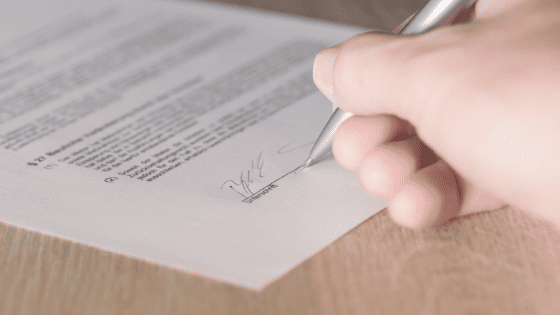
    Signing a contract can be intimidating. What am I getting into here? What might be lurking in the fine print?

    When it comes to the author–editor relationship, contracts can reassure authors

    • that they’ve chosen the right editor
    • that the editor will provide the services they want
    • that the pay and delivery schedule will meet their expectations


    The Right Editor for You

    Authors find editors in all kinds of ways, and if you poke around social media for a minute or two, you’ll probably come across authors asking where they can go to find a good editor.

    Editors may be referred by other authors (editors love this).

    Authors may find editors blind on the internet or through resources such as the Editorial Freelancers Association (of which I’m a member).

    Authors may even turn to friends who love to read and regularly point out grammar miscues on Facebook (but please don’t point out grammar miscues on Facebook).

    Wherever an author finds an editor, the contract is a sign of the editor’s professionalism. The contract says the following to the author:

    • “I am a professional, I take my job seriously, and I will treat you in a professional manner.”
    • “I want to be absolutely clear on the work that you want me to do, and I want you to be absolutely clear on the work I’m doing.”
    • “I want to prevent any misunderstandings on the cost of the work or when you can expect the work to be delivered.”

    Whether your editor is an old friend or a complete stranger, contracts set the business transaction off on the right foot and preserve the relationship between the parties by preventing misunderstandings.

    With something as important as a manuscript an author has toiled over, better safe than sorry is a good approach for everyone involved.

    The Services You Want

    An author’s view of the kind of editing that should be done on a manuscript can be very different from the editor’s.

    Authors and editors may even have different definitions for what is entailed by the different levels of editing: developmental editing, line editing, copyediting, and proofreading. (No surprise here, because editors often have different definitions themselves.)

    Authors might not even be aware there are different levels of editing, so prework discussions leading to the contract can be extremely informative.

    For example, the contract can prevent an author from thinking the copyeditor will perform Big Picture structural work on a manuscript when the copyeditor thinks he will be editing for grammar, spelling, punctuation, style, and consistency only.

    No Surprises

    Unspoken expectations lead to trouble, especially when it comes to money and the nature of the work involved.

    A contract may specify the type of file that will be supplied to the editor (an editor may be expecting a Word document when the author is planning to send a PDF for markup or share a Google document).

    A contract might say that the work will be billed based on the supplied word count and not the word count of the edited document (often much lower), or a contract may spell out a project fee and a pay schedule.

    Either way, addressing payment expectations (including the deposit and methods of payment) avoids one of the greatest sources of contention.

    In addition, an author might expect that the editor’s fee includes a full review of the edited manuscript after the author has addressed comments and accepted and rejected changes, whereas the editor might see this as a separate charge.

    What happens when the author or editor has to pull out of a project, for whatever reason? This can be covered in the contract too.

    Another thing to keep in mind is that if authors see something they don’t like in the contract, they are free to raise the issue with the editor and are encouraged to do so.

    After all, editors and authors are working toward a common goal: to make the author’s manuscript as good as it can be.

    Contracts help achieve this goal and reassure both parties that their expectations are being met.

    (For more on contracts and setting fees, The Paper It’s Written On by Karin Cather and Dick Margulis and The Science, Art and Voodoo of Freelance Pricing and Getting Paid by Jake Poinier, aka Dr. Freelance, are excellent resources.)

    About James Gallagher:

    James Gallagher is a copyeditor and the owner of Castle Walls Editing LLC. To view a sample contract or to find out how James can help with your writing projects, email James at James@castlewallsediting.com.


    References:

    Cather, Karin, and Dick Margulis. The Paper It’s Written On: Defining Your Relationship with an Editing Client. New Haven, CT: Andslash Books, 2018.

    Poinier, Jake. The Science, Art and Voodoo of Freelance Pricing and Getting Paid. Phoenix, AZ: More Cowbell Books, 2013.

  • Shh! What Do Editors Mean by ‘Silent’ Changes?

    Shh! What Do Editors Mean by ‘Silent’ Changes?

    With Word’s Track Changes turned on, every insertion or deletion an editor makes is visible to the author. Silent changes happen when the editor switches Track Changes off so that the author can’t see what’s been changed.

    Sounds sneaky, doesn’t it?

    Almost nefarious.

    It’s easy to imagine authors bristling at the notion. But there’s a reason for a certain type of silent edits, and in these cases the editor is trying to help the author.

    Why Make Silent Changes?

    When an editor returns a manuscript, authors are often surprised by the number of edits. Tracked changes can splash red all over the page, and this can be alarming. As authors review their edited manuscript, they are faced with the task of contending with these edits.

    To reduce the amount of electronic marks on the page, editors sometimes make silent changes for edits the author wouldn’t question. Not tracking these changes makes it easier for authors to see the changes they care about without getting lost in a sea of red.

    Candidates for silent editing include the replacement of straight quotes with smart (curly) quotes, the movement of punctuation inside quotation marks, and the elimination of extra spaces. Editors might also make silent edits for 100 percent typos (“carts” for “cats”).

    I generally only make silent edits for things like extra spaces, but I always clear this with authors beforehand so they know what kinds of changes will be done silently.

    Because authors place a great deal of trust in editors, there should be no surprises. Editors need to be fully transparent with their actions, and there is no reason not to be.

    Editors, after all, want to help authors, not trick them.

    What About When Authors Make Silent Changes?

    Depending on the arrangement, authors may want the editor to take another look at the manuscript after the authors have responded to comments and accepted or rejected changes.

    Because editors feel responsible for the quality of the work, they want to be aware of any changes authors make at this point, so no typos slip through. For this reason, editors will often lock the file so that Track Changes cannot be turned off.

    With all of the above in mind, I hope silent changes sound less less like a sneaky intrusion and more like a helpful part of the editing process.

    About James Gallagher

    James Gallagher is a copyeditor and the owner of Castle Walls Editing. For more information about how he can help with your writing projects, send email to James@castlewallsediting.com.

  • My Editing Checklist

    My Editing Checklist

    When used by doctors and air-traffic controllers, checklists save lives by ensuring that critical steps aren’t missed during high-stress situations.

    Editing doesn’t involve life-or-death stakes (usually), but checklists are still helpful for reducing complexity and lessening the burden on memory for routine tasks. Even after spending forty or more hours on a manuscript, it’s easy, for example, to send off a final package to the client and forget the invoice.

    Unlike a style sheet, which goes to the client, the checklist is just for me. There is some overlap, but the checklist simply helps me roll through the steps in my editing process without forgetting anything, whereas the style sheet records such things as proper nouns, variant spellings, and unusual usages. (For more information on style sheets, click here.)

    The following is a typical checklist I’d use for a manuscript to be edited in accordance with the Chicago Manual of Style (17th edition) and Merriam-Webster’s Collegiate, but it’s easily adapted for other styles or editing requirements I’m charged with.

    Prework

     Create contract (Word exported to PDF)
     Create invoice (Word exported to PDF)
     Set up style sheet (Google Docs)
     Set up chapter-breakdown sheet (Google Docs)
     Rename author’s file
     Set up Toggl for job

    Formatting

     Double space lines of text
     Set automatic indents and delete extraneous tabs with Editor’s Toolkit
     Delete extra returns (Editor’s Toolkit)
     Delete spaces around returns (Editor’s Toolkit)
     Remove double spaces (Editor’s Toolkit)
     Close space around em dashes and ens (editor’s Toolkit)
     Check heading styles
     Check page breaks
     Format ellipses (Editor’s Toolkit)
     Turn straight quotes to curly (Editor’s Toolkit)
     Check TOC

    Editing

     Start Toggl
     Turn on Track Changes
     Delete commas before “too” and “either” at end of sentence or clause
     Watch for towards, backwards, etc.
     Check for close quotes after em dashes in dialogue
     Ensure US stylings
     Use serial commas
     Insert comments questioning logic, continuity, etc.
     Insert comments praising author’s craft
     Run PerfectIt before second pass
     Read through comments and check tone

    Postediting

     Send edited manuscript with tracked changes
     Send clean PDF
     Send style sheet
     Send chapter breakdown
     Send cover letter
     Send invoice
     Thank them!
     Send follow-up with info on referral fee

    In the above, Toggl is a time-tracking application, Editor’s Toolkit is a collection of macros, and PerfectIt is a consistency checker, all of which I find highly useful. I also talk about the tools I use in my editing business in my post “Five Tools That Help My Editing Business.”

    Do you use checklists in your work?

    About James Gallagher

    James Gallagher is a copyeditor and the owner of Castle Walls Editing. For more information about how he can help with your writing projects, email James@castlewallsediting.com.

    References:

    Gawande, Atul. The Checklist Manifesto: How to Get Things Right. New York: Henry Holt, 2009.

  • What Are Zombie Rules in Grammar?

    What Are Zombie Rules in Grammar?

    Zombies are fueled by mindless hunger, and this mindlessness is part of what makes them scary.

    If you have a choice between reasoning with a zombie and bashing one in the head with a shovel, the latter approach is more likely to help you avoid becoming one of the undead yourself.

    Zombie rules in grammar (“rules” that have no grammatical basis but nonetheless refuse to die) are frightening because they’re driven by much the same brand of mindlessness.

    You can probably reel off your favorite zombie rules the same way you’d reel off your favorite zombie flicks. “Never end a sentence with a preposition,” “Never start a sentence with a conjunction,” and “Never split infinitives” are the Night of the Living Dead, 28 Days Later, and Shaun of the Dead of the grammar world.

    More obscure zombie rules stalk the landscape as well: the number of items between can apply to and the use of double negatives (think Dead Alive and Cemetery Man).

    People faced with zombie rules generally arm themselves with reasonable arguments that often involve Latin, John Dryden, and Winston Churchill quotes (“This is the type of errant pedantry up with which I will not put”).

    But zombie rules wouldn’t be zombie rules if they were easy to kill (though people won’t stop trying, and there are seemingly billions of blog posts devoted to grammar rules that aren’t really rules).

    Why do people hold on to zombie rules?

    (1) They were learned as absolute truths during one’s formative years and have never been questioned. If pressed, most will cop to their certainty about a grammar “rule” as coming from an elementary school teacher or some other distant authority.

    So changing one’s stance on ending a sentence with a preposition might involve a slight shifting of a long-held world view. Doing so might cause a little tremor in your foundations. But evaluating and resetting your world view is a good thing, and we should all reevaluate our beliefs on a regular basis.

    (2) It’s hard to admit you were wrong. Changing your view on rules such as these can feel like you’re admitting you’ve been wrong for years, possibly decades. But this is a sting that can be lessened by the realization that most “rules” aren’t rules, and that what we’re really talking about are styles and conventions.

    Audience and levels of formality and register often determine the guidelines you’ll follow. Language conventions are ever changing, and embracing this can be quite freeing (while there was no shortage of debate sparked by the major style guides’ lowercasing of internet, a good number of copyeditors undoubtedly felt a rebellious thrill when they first started taking down that I).

    (3) The “rule” makes you feel superior. People love to correct other people’s grammar. Check any comments thread and you’ll quickly find someone attempting to invalidate someone else’s argument by pointing out a misstep in grammar, spelling, or punctuation.

    People’s use of grammar is also tied up in their self-perception and it’s used to broadcast their level of education. It’s also used as a barricade to prevent others from accessing their realm.

    But people can love grammar and not be an ass about it. Inflexibility and a rigid adherence to “rules” across all situations are probably your best ways of advertising how little you actually know about language. Let’s try not to use our knowledge to hurt or exclude others. Let’s try to be kind, share knowledge generously, and open ourselves to the idea that we have much to learn.

    I suppose I could say more, but I’m off to watch Return of the Living Dead III.

    ABOUT JAMES GALLAGHER

    I’m a copyeditor and the owner of Castle Walls Editing. If you have a manuscript and need a copyeditor, contact me through this site or email me at James@castlewallsediting.com.